
On-device search
Find scenes, objects and words inside your photos — labels and recognized text are indexed locally.
 Photo cleanup for iPhone & iPad
Photo Clean scans your library on device — duplicate and similar photos, forgotten screenshots, space-hungry videos — and leaves every decision about what stays to you.
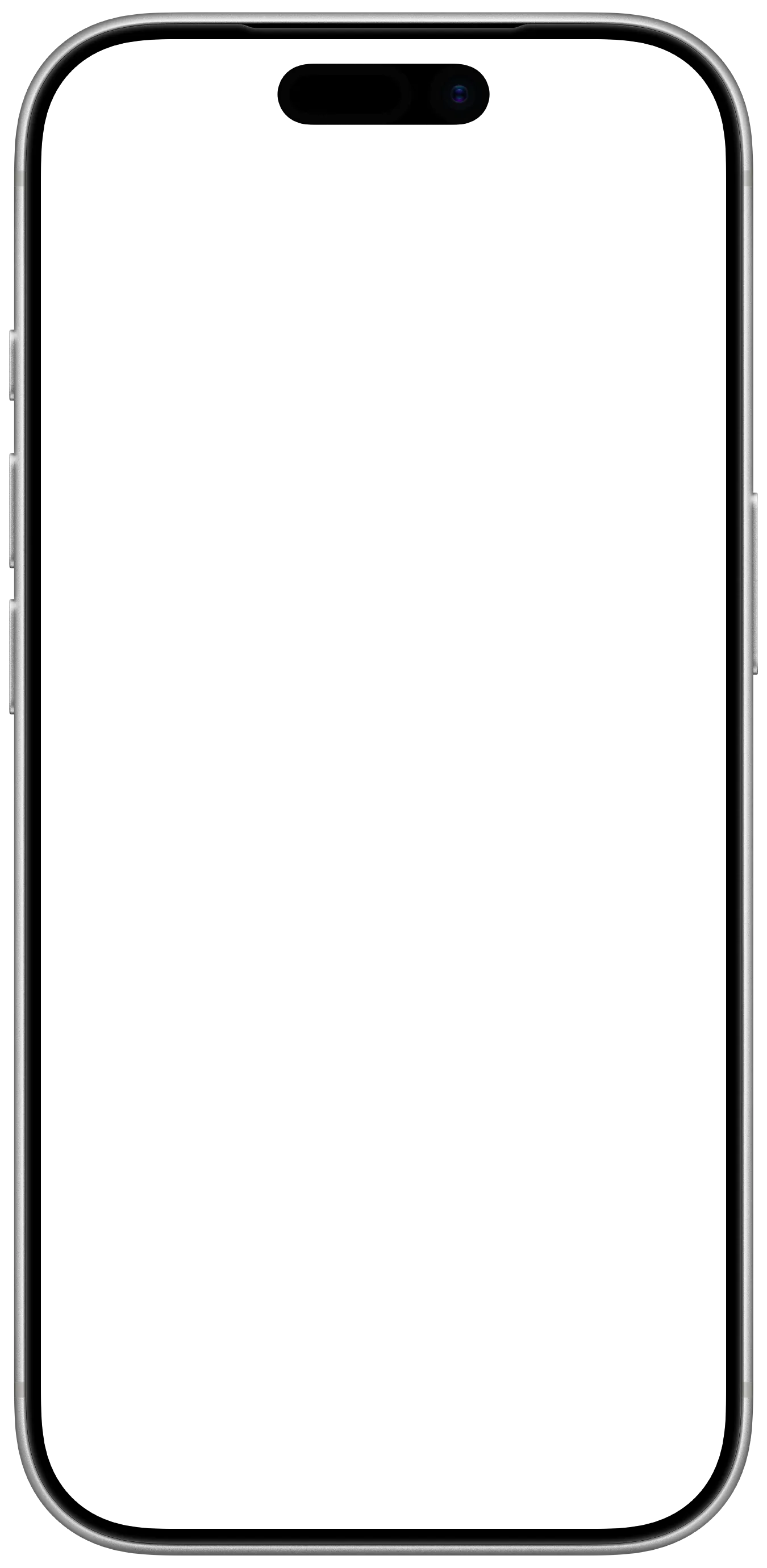
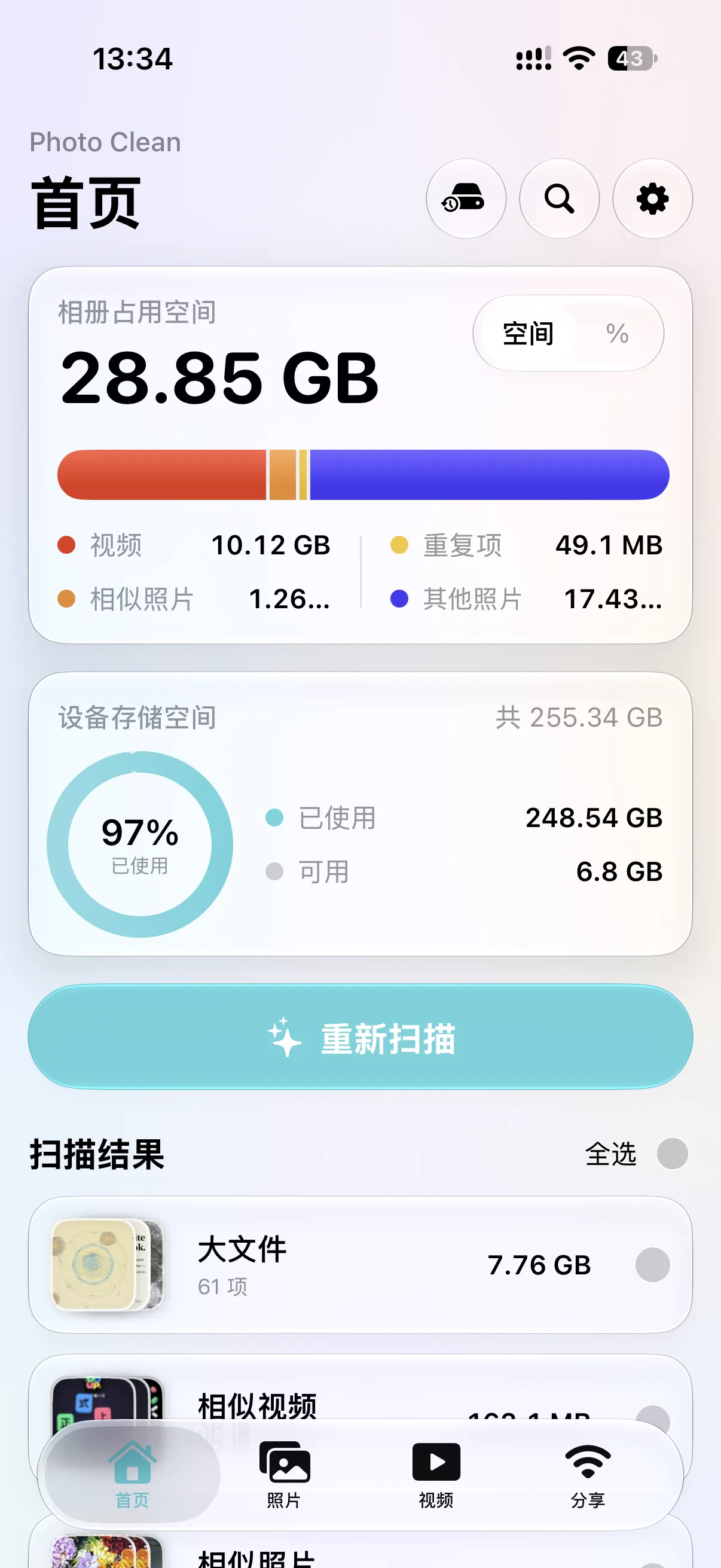
Interface follows your device language. Screenshots show the app in Chinese.
Scan
See where your storage actually goes. Photo Clean groups duplicate and similar photos, screenshots, large files and low-quality shots, so clearing space feels like tidying — not deleting blind.
A scan is a suggestion, never a verdict — deletion always goes through the system dialog.
Organize
Browse by year and month, or swipe through photos one by one to keep or clear. Organizing records remember where you stopped, so a big library becomes many small, calm tidy-ups.

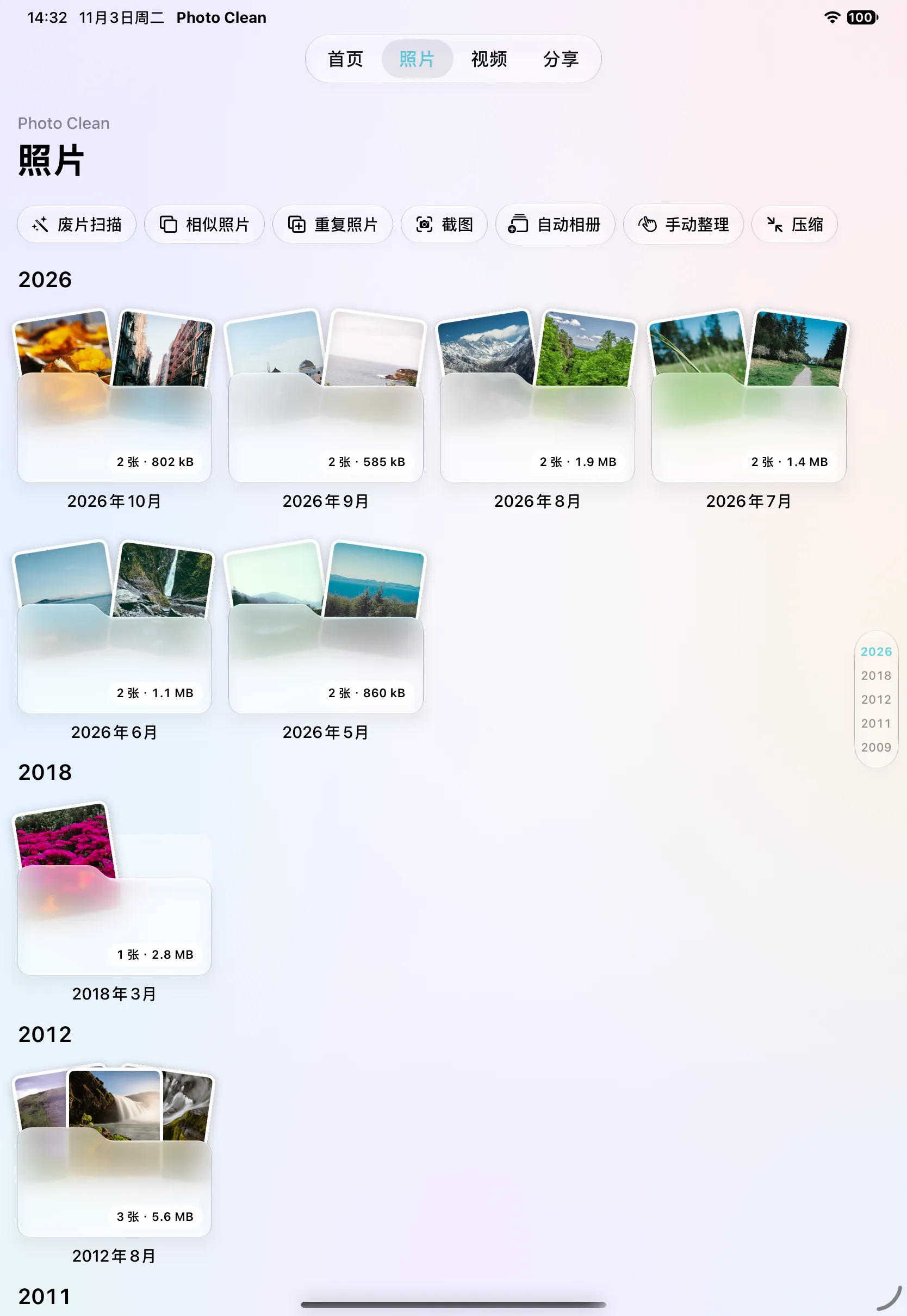
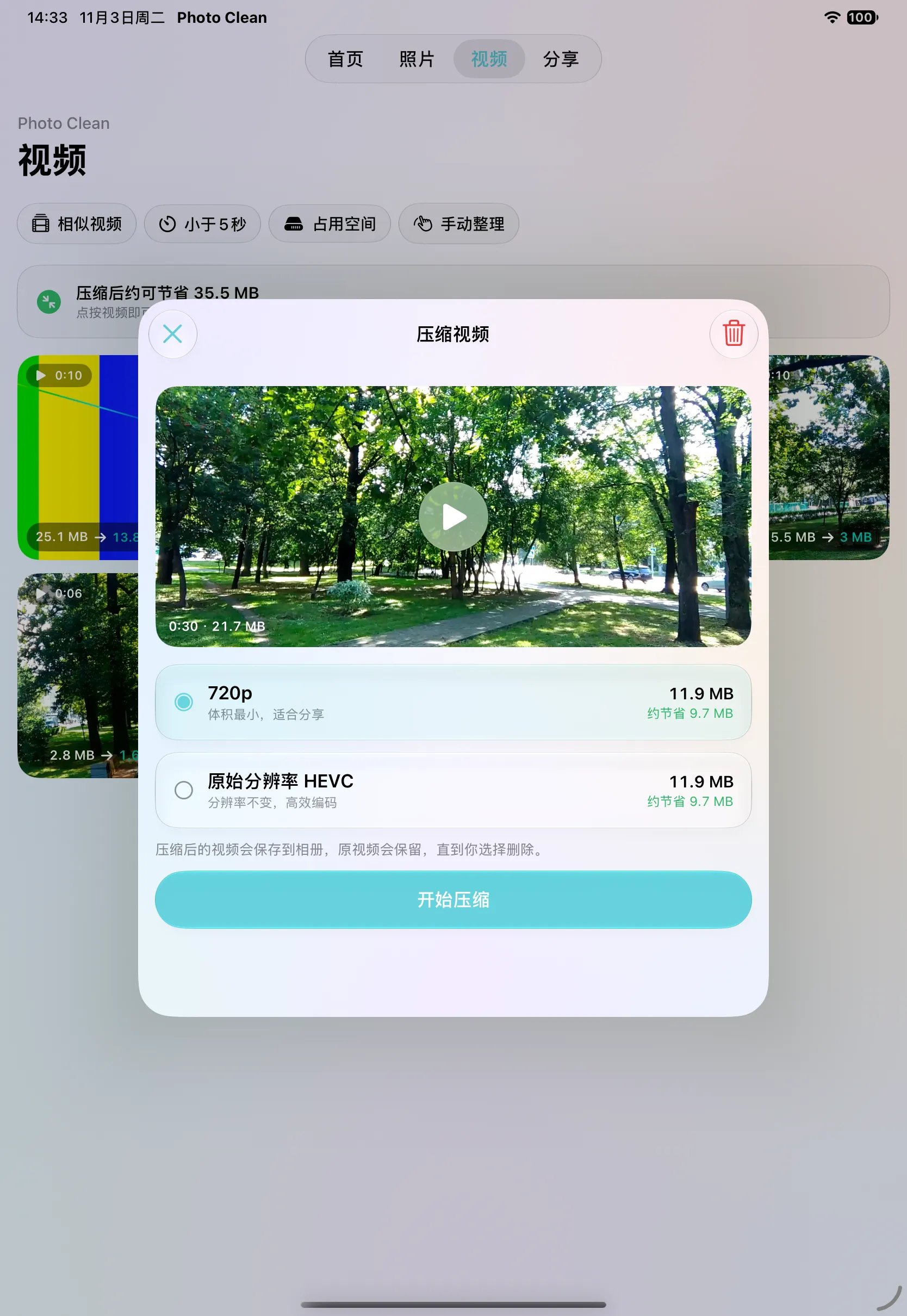
Compress
Compare photo compression side by side, choose a video quality option, and save a lighter copy to your library. Check the result first — the original stays put until you decide.
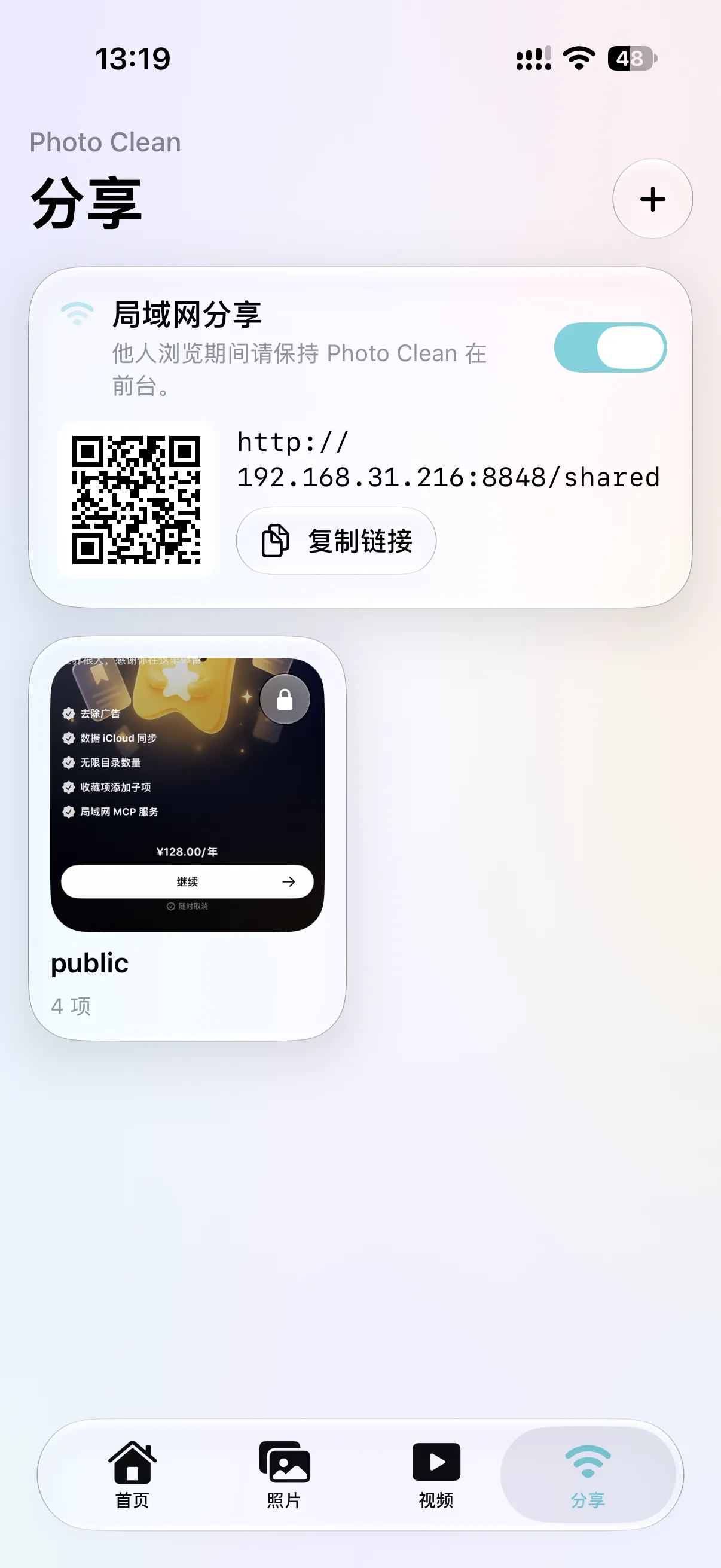
Share
Drop favorites into a shared folder, turn on local sharing, and let anyone on the same Wi‑Fi browse from their browser via link or QR code. Folders can be password‑protected; one tap turns it off.
And more
Find scenes, objects and words inside your photos — labels and recognized text are indexed locally.
Find and merge duplicate contacts. A local vCard backup is created before anything changes.
Every tidy-up is logged with what was cleared, so progress and history stay visible.
An optional service lets trusted AI clients browse and manage your library using an access token. Off by default.

Keep the good. Make room.
Privacy
Cleanup should not cost you your library. Photo Clean is built local-first:
Similarity, quality, labels and text recognition all happen locally. Nothing is uploaded for scanning or search.
Removals always pass through the system dialog and Recently Deleted — the app never silently wipes anything.
No sign-up. Your library, backups and records live on your device, not on our servers.
Local-network sharing is off by default, supports folder passwords, and stops with one tap.
Purchases, push notifications, analytics and crash diagnostics involve online services. Full details in the Privacy Policy.
FAQ
Scanning, organizing, compression and content search run entirely on your device and work offline. Local sharing and the optional MCP service need a network connection.
No. There is no login — just grant Photos access when you are ready. Contacts cleanup is a separate, optional permission.
Photo analysis and content indexing run on device; photos are not uploaded for scanning. Purchases, push notifications, analytics and crash reports do involve online services — see the Privacy Policy for the full picture.
iPhone and iPad. The interface follows your device's language settings; screenshots on this page simply show it in Chinese.
Photo Clean is free to download and try. Some features and quotas require Premium — see the in-app offer for the current products and prices.
Selected photos and videos go into a folder served over your own Wi-Fi. Others open the address in a browser — optionally with a password — and you can stop sharing anytime. Keep the app in the foreground while sharing.

Free to download on the App Store.
Download on theApp StoreSome features and quotas require Premium.